So late! Why now? The persistent and frustrating Unity issue with looping inside a sample from a web build has finally been resolved by Unity. https://issuetracker.unity3d.com/issues/webgl-a-looping-audio-sounds-different-on-webgl-than-in-the-editor-slash-native-desktop-player MPTK build has been tested with Unity 6 and Unity 2022.3 with MPTK version 2.16.0 Read more…
Integration between this bluetooth/RDP plugin and Maestro. The objective is to incorporate Maestro’s MIDI synthesizer functionality that utilizes soundfonts into this plugin, while also facilitating Bluetooth and RTP connectivity for Maestro on mobile devices and websites.
*** Under construction *** Enable debug features Maestro MPTK is a sophisticated application: real-time music playback requires significant optimization and intricate algorithms. We utilize specific functions to assist us during the testing phase. However, you can also utilize these features. Read more…
When Maestro MPTK load a MIDI from the MIDI db or from an external file (web or local), all the setting of the MIDI player (prefab MidiFilePlayer or MidiExternalPlay) are set to the default values found in the MIDI. This Read more…
Creating a game or an application in Unity that involves MIDI, such as a rhythm game or tutorial, often requires knowing the real-time value of each note. This post can be a valuable resource. Be sure to read the chapter Read more…
This feature allow you to create an MPTK runtime without including a SoundFont at start. An enhanced API will facilitate downloading, caching, and loading a SoundFont while your application is running. The first benefit is providing a smaller application to Read more…
Loading and unloading scene in Unity is a good method to structure your application especially for a complex one. If you are not aware of the technical aspect for loading Unity scene, I encourage you to read this excellent article. Read more…
One advantage of Maestro is its ability to play music without the need for scripting, simply by incorporating prefabs into your hierarchy using the Unity editor. However, there are occasions when you may prefer to utilize the Maestro prefab solely Read more…
Before updating, check that you are using a Unity version 2021.3 LTS or newer. Maestro has been tested with the Unity 2022 and Unity 6 tests are in progress. Obviously if you have never downloaded Maestro from the Unity store, Read more…
The main difficulties with Unity and generated music is the precision and accuracy in time of each notes. Human are able to distinguish delay between sound until 20 ms, below we hear only one sound. It’s obvious that accuracy in Read more…
I thought that was not possible and she do it : a modular synthesizer that runs in a web browser. Look and listen here: https://z.musictools.live/ More information here with her blog. Could be the perfect counterpart of Midi Player Tool Read more…
Within a SoundFont, sounds can be mutually exclusive: for example, a ‘closed hihat’ sound will terminate an ‘open hihat’ sound ringing at the same time. This behavior is modeled in SoundFont using ‘exclusive classes’: turning on a sound with an Read more…
Midi Player Tool Kit API Documentation is crucial to integrate Maestro in your Unity script. For a Quick Start, it’s better to read the up-to-date version go to this page and here a direct link to the API reference.
Use case: you want to generate music with an instrument (preset, patch, program, there is a lot of synonyms!) other than Piano at the startup of your application. By default when the synthesizer is loaded, all channels are set with Read more…
Timing in music is very important. So MIDI files include a number of parameters related to keeping time. A lot of information here has been extracted from https://majicdesigns.github.io/MD_MIDIFile/page_timing.html Look also at this post to understand how get a verify good Read more…
Timing accuracy MIDI Sequencer and Audio Synthesizer run in separate system threads, not in the Unity thread, consequently playing music has no impact on your game or application timing. You can modify Unity Audio Parameters from the MPTK prefab. So, Read more…
This video is a comparison of three Midi files playing in V1 and V2. For the first one (Adagio) the difference is not so obvious, but for the two others, it’s clear!
MPTK is operational on Windows, Mac OS, IOs and Android. Warning: with Mac M1 and M2 architecture, in some case the DSP buffer length is not a multiple of 64: no sound will be produced or error will be displayed. Read more…
See below the change with the V2: New Midi Synthesizer based on the excellent fluidsynth project. Code has been converted from C to C# and, of course adapted to Unity. New class MidiLoad. Useful to load and process all the Read more…
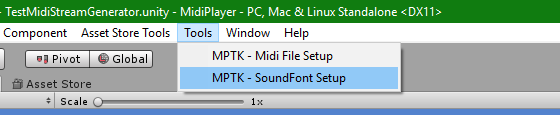
The MPTK Pro version comes without any SoundFont, sample or MIDI files. The reasons are : Get a small package to speed up the update process. Don’t interfere with your project. Let you make your best choice! If you really Read more…

Play multiple Midi files depending the distance with the Listener Generate music on fly, thank to the MidiStreamPlayer Change Sounfonts on fly (Pro version) Add and Optimize Soundfonts (Pro version)
Audio Source Template MidiFilePlayer and MidiStreamPlayer gameobject contains an AudioSource template. This audio source is used as a template to play each sounds in your Midi File Player. An AudioSource is instantiated when there is the need to play a Read more…
